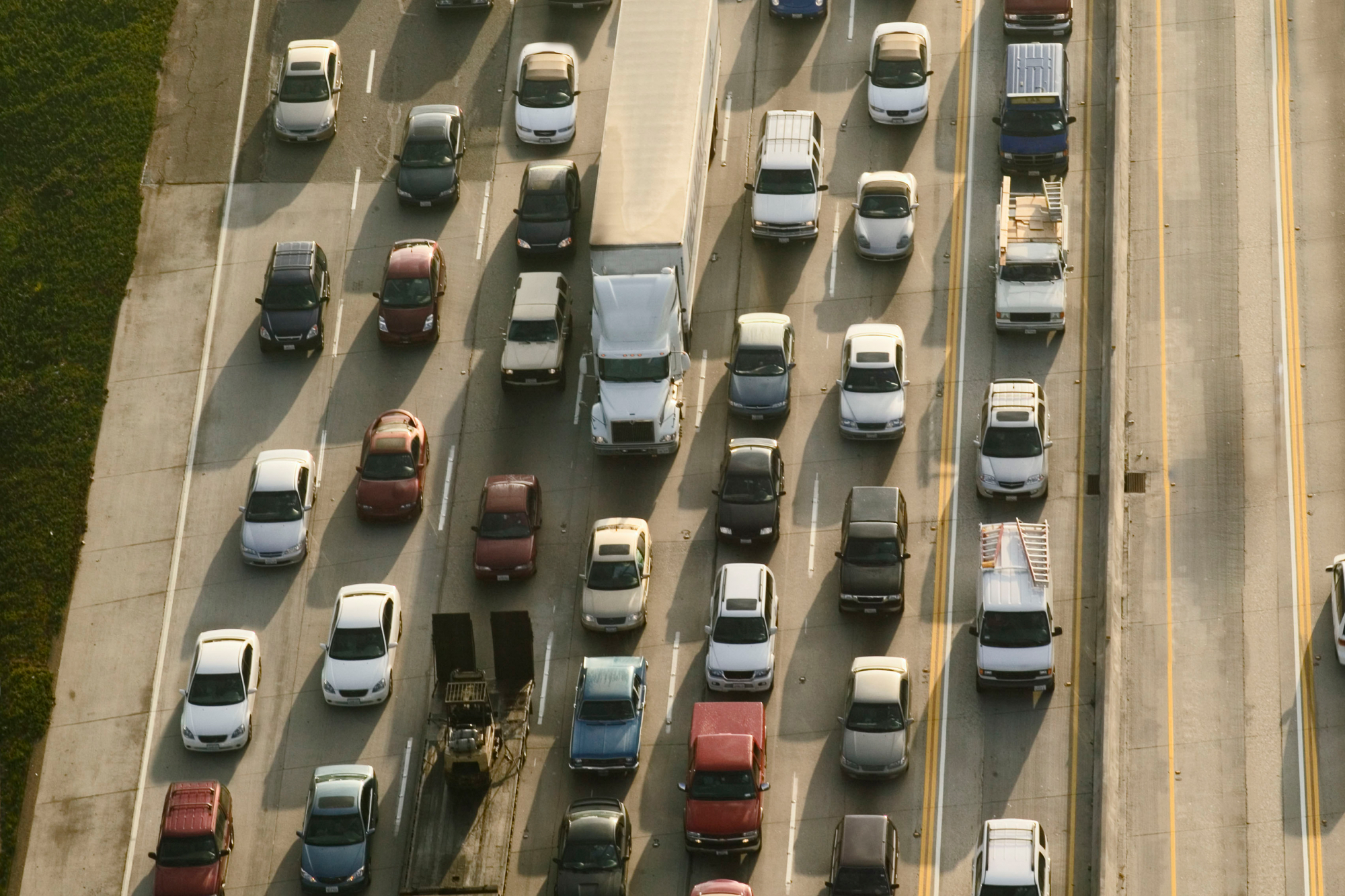
When your fleet handles complex routes with many stops, simple tour routing just doesn't cut it. You also need to conserve fuel, improve productivity, and keep your team ahead of compliance standards—all while promoting a culture of safety. This means you have to be picky when choosing your tools. The right gps routing software does more than just map a route; it acts as a command center for your entire operation, helping you meet every one of these critical goals.
What is GPS Routing Software?
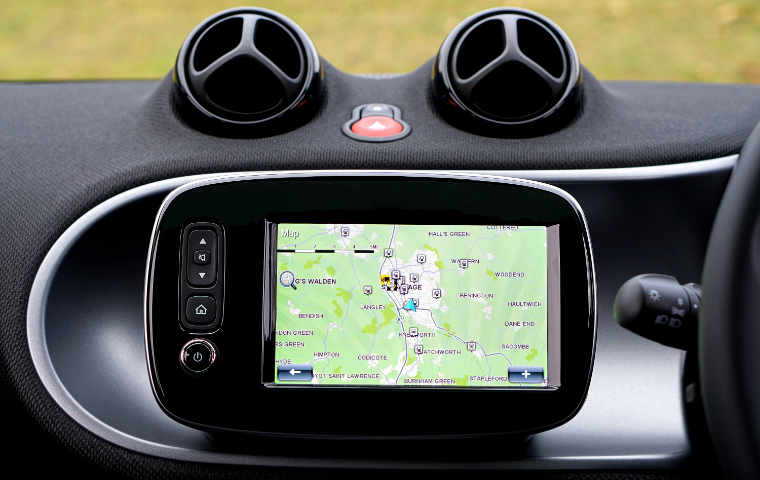
The basic concept of routing software is that it uses GPS data to help plan out a trip. The most basic versions will simply give you directions to your destination. More advanced versions take into account real-time routing concerns like traffic congestion, road hazards, and adverse conditions.
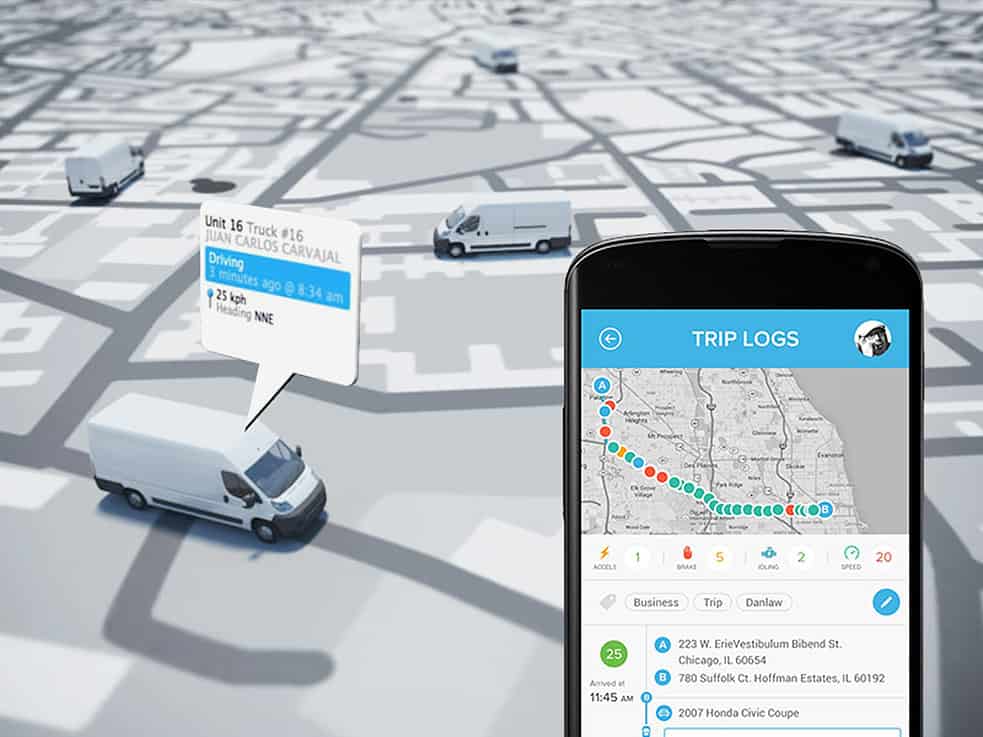
Standard GPS route optimization is designed for a single trip, point A to point B, but it may not handle trips that include points C, D, E, F, and so on. If you’re in need of tour routing software, you have to have a program that will handle a number of scheduled stops in a single route while keeping track of the current road and traffic conditions. Here are a few of our favorite options.
Key Features in Modern GPS Routing Software
Not all GPS routing software is built the same. While basic apps can get you from point A to point B, commercial-grade software is packed with specialized tools designed for the real-world challenges of managing a fleet. These features aren’t just bells and whistles; they are powerful instruments for improving efficiency, ensuring driver safety, and maintaining accountability across your entire operation. From optimizing the final, critical steps of a delivery to providing undeniable proof that a job was completed, modern routing software gives fleet managers the control and insight they need to run a smarter, more productive business. These tools transform a simple map into a dynamic operational command center.
Last-Mile Delivery Optimization
The "last mile" of a delivery is the final and often most complicated step in getting a product or service to the customer. This is where things can get tricky with tight delivery windows, specific customer instructions, and unpredictable urban traffic. Last-mile delivery optimization software focuses specifically on making this final leg of the journey as efficient as possible. It helps plan the most effective routes for drivers with multiple stops, reducing fuel consumption and idle time. By streamlining this process, you not only get more done in a day but also significantly improve the customer experience by ensuring timely and reliable service, which is a huge factor in building a great reputation.
Vehicle-Specific Navigation
A one-size-fits-all approach to navigation doesn't work for a commercial fleet. A delivery van has different needs than a semi-truck, and routing software should understand that. Vehicle-specific navigation takes into account a vehicle's height, weight, length, and cargo. This feature automatically steers drivers away from low bridges, roads with weight restrictions, and other hazards that don't apply to personal cars. It’s a critical tool for improving fleet safety, preventing costly accidents, and avoiding compliance violations. By providing routes that are tailored to each vehicle, you protect your drivers, your assets, and your business from unnecessary risks and delays.
Proof of Delivery (PoD)
In any service or delivery business, disputes can happen. A customer might claim a package never arrived or that a service wasn't completed. Proof of Delivery (PoD) features eliminate this uncertainty by providing clear, time-stamped evidence that the job was done. This digital confirmation is automatically logged in the system and can be shared with customers to confirm successful deliveries or service calls. It’s a simple but powerful tool for accountability that protects your business from false claims, reduces time spent on customer disputes, and builds trust by offering complete transparency about your operations.
Collecting Signatures and Photos
Modern Proof of Delivery goes beyond a simple checkbox. With a tool like the Azuga Fleet Mobile app, drivers can easily collect electronic signatures directly on their phone or tablet. This provides undeniable confirmation from the customer at the point of service. In situations where a signature isn't possible, drivers can snap a quick photo as visual proof—for example, a picture of a package left securely on a front porch. This visual evidence is automatically geotagged and time-stamped, creating a solid record that leaves no room for doubt and helps resolve any potential issues quickly and professionally.
Geofencing
Geofencing allows you to create virtual boundaries around real-world locations, like a customer’s address, a job site, or your own yard. When a vehicle equipped with a GPS tracker enters or exits one of these predefined zones, the system automatically logs the event. This automates the process of tracking when drivers arrive on-site and when they leave, eliminating the need for manual check-ins and paper logs. Geofencing is incredibly useful for verifying that drivers are sticking to their schedules, accurately tracking hours for billing, and even getting alerts if a vehicle enters an unauthorized area. It’s a hands-off way to keep a close eye on your fleet's movements.
Advanced Planning and Scheduling
Managing a fleet is about more than just planning one route at a time; it's about coordinating your entire team for maximum productivity. Advanced planning and scheduling tools give dispatchers a bird's-eye view of all operations. You can build efficient multi-stop routes for your entire fleet, assign jobs to the best-suited drivers, and make real-time adjustments as the day unfolds. If a customer calls with an urgent request, you can instantly see which driver is closest and has the capacity to take on the job. Solutions like Azuga Routes empower you to manage your vehicles and drivers dynamically, ensuring your operation runs smoothly and can adapt to anything.
Offline Maps and Route Exporting
Your drivers can’t always count on having a reliable cell signal, especially when working in rural areas or large industrial sites with spotty coverage. That’s where offline maps become essential. This feature allows drivers to download maps and route information to their device before they head out. Even if they lose their connection, they’ll still have full access to their route and turn-by-turn directions. This ensures they can complete their jobs without interruption or delay, no matter where the work takes them. It’s a simple feature that provides peace of mind and keeps your team on track in any environment.
Commercial Software vs. Personal Navigation Apps
Most of us use personal navigation apps like Google Maps or Waze every day. They’re fantastic for finding the quickest way to a new restaurant or avoiding a traffic jam on the way home. However, when you’re running a business with a fleet of vehicles, relying on these apps is like using a hammer to drive a screw—it’s the wrong tool for the job. Personal apps are designed for individual convenience, not for the complex demands of commercial operations. Professional fleet tracking and management software is built from the ground up to handle multi-stop routes, manage multiple drivers, and provide the detailed data you need to make smart business decisions.
The Limitations of Personal Apps for Business
Personal navigation apps fall short the moment your needs go beyond a simple A-to-B trip. They are not designed to plan routes with dozens of stops, and trying to do so is a frustrating and inefficient manual process. Furthermore, they offer no way to manage or monitor a team of drivers. You can't dispatch jobs, track progress, or gather performance data. If you need to know how long a driver spent at a specific location or verify their route, a personal app won't help you. They lack the reporting and oversight features that are essential for running a professional, accountable fleet operation.
Understanding Crowd-Sourced Data
Apps like Waze are known for their real-time traffic updates, which are generated by collecting data from all their users on the road. While this crowd-sourced information can be helpful for avoiding slowdowns, it comes with a major blind spot for commercial fleets. The data doesn't account for vehicle-specific restrictions. The "fastest" route it suggests might include a road with a low-clearance bridge or a street that prohibits commercial truck traffic. Relying on this data can lead to dangerous situations, costly fines, and major delays. Commercial software, on the other hand, uses professional-grade mapping data that includes these critical details, ensuring every route is safe and compliant.
Recreational Planners and Route Discovery
Just as personal navigation apps are built for the general public, other apps are designed for very specific recreational uses. For example, cycling apps help riders discover scenic bike routes and share their journeys with a community. These tools are highly specialized to serve the needs of their audience, offering features that a typical driver wouldn't need. This same principle applies to commercial fleets. Your business has unique requirements that a general-purpose or recreational app simply can't meet. Using a dedicated commercial routing solution is about choosing the right specialized tool to get your specific job done safely and efficiently.
Viewing Elevation Profiles
One feature often found in recreational apps for hiking or cycling is an elevation profile, which shows a graph of the hills and valleys along a route. While this might seem like a niche feature, it highlights the level of detail that specialized software can provide. For a heavy-duty truck, understanding the grade of a hill is crucial for managing fuel consumption, calculating travel time, and ensuring driver safety. This is another example of critical data that personal navigation apps ignore but that professional-grade routing software takes into account to provide a truly comprehensive and accurate plan for your commercial vehicles.
The Role of Software Marketplaces
The best commercial solutions don't operate in a vacuum. They are often part of a larger, integrated platform or marketplace that allows you to connect routing with other essential business tools. For instance, you can link your routing software with AI-powered dashcams for enhanced safety, telematics for engine diagnostics, and scheduled maintenance alerts. This creates a unified system where every part of your fleet operation works together. Instead of juggling multiple disconnected apps, you get a single, powerful platform to manage everything. This holistic approach is something a standalone personal app can never offer and is key to achieving true operational excellence.
C2Logix: Built for Complex Tour Routing?
C2Logix is geared toward municipality use, though it’s also employed in plenty of private businesses. Their point-to-point routing system was initially developed for use in the waste collection industry, but they now offer solutions for emergency management, snow plow routes, delivery and collection, and even home service businesses.
With C2Logix, you can schedule routes locally, regionally, or nationally. Optimized routes can be created up to 60 days in advance, and you can plan for all sorts of service schedules and visit frequencies. The software even integrates easily with top GPS devices like Garmin, TomTom, and Android devices.
Geopointe: Route Planning Inside Salesforce
If you’re looking for an option designed for the sales and marketing world, Geopointe works with your Salesforce system to map out sales calls. This is a handy option if you want to create a tour visiting several clients in a single geographic area, or for those who simply want integration to seamlessly combine sales info and route optimization.
The Geopointe route planner offers multi-day routes, with up to 100 stops each. The program allows salespeople to see a clear calendar of their upcoming trips, lets them use both mobile and desktop devices, and makes it easy to share route information with managers or coworkers. It’s great for managing large sales territories all in one easy view.
Azuga: GPS Routing for Real-World Results
If you’re looking for a top-end tracking software system, it’s hard to beat Azuga Fleet for the sheer number of features and optional add ons. This software works via plug-and-play OBD II devices so there’s no costly and time-wasting installation. The routing options let you streamline dispatch with all the GPS details you could want. But more than this, Azuga is a company focused on improving road safety for commercial fleets.
Azuga’s safety features and options include safety-related telematics that help you know which drivers are exhibiting risky behaviors like speeding or hard braking, and in what scenarios. They then offer training videos customized to each driver’s habits with Azuga Coach. There’s even a Safe Driver Rewards program to help motivate drivers to improve.
The benefits of Azuga telematics don’t stop with safety. Use the data reported by the system to streamline maintenance, increase fuel efficiency, keep ahead of compliance issues, and even save money on insurance premiums.
Dynamic Route Optimization for Fleets
True route optimization is about more than just finding the shortest path; it’s a dynamic system that helps organize how your people, goods, and services move throughout the day. This kind of software makes it easier to manage multiple drivers and complex delivery schedules. It allows you to make intelligent choices on the fly, like rerouting a driver to avoid a sudden traffic jam or reordering stops for maximum efficiency. The goal is to make every delivery accurate and on time. With tools for planning, dispatching, and tracking, you can improve how your entire business operates, ensuring your team gets more done with less stress. Azuga’s route optimization is designed for these real-world challenges.
Integrated Tools for Driver Safety and Performance
The best routing software does more than just create efficient paths; it integrates with tools that support your drivers. A comprehensive system uses telematics data to give you a clear picture of what’s happening on the road. For example, you can see which drivers might be exhibiting risky behaviors like speeding or hard braking and in what situations. This isn't about playing "gotcha." It's about understanding where your team might need extra support or training. When you focus on driver safety, you build a stronger, more reliable team. The benefits extend beyond safety, too. The same data can help you streamline scheduled maintenance, improve fuel efficiency, and stay ahead of compliance issues.
LogiNext: A Focus on Delivery Automation
For organized logistics and field service route optimization, LogiNext is an excellent option. Their delivery logistics automation is streamlined for ease of use, yet offers plenty of analytics and logistics data. The system is designed to be customized, with a number of different solutions, each catering to different types of fleet businesses.
For delivery businesses, LogiNext offers advanced features like capacity planning to ensure that each truck is filled to an optimal level and can be dispatched and operated efficiently. They also offer the ability to track and re-optimize routes in real-time with a detailed map view.
Route4Me: Planning Routes on the Go
Route4Me is a software solution designed for those who visit more than 10 destinations per day. The program makes it easy to drop in a list of addresses and come out with an optimized route for each driver in your fleet. Their promise is that you’ll never have to spend more than one minute per day on route planning.
The company recommends its solution for field sales, delivery, pick up, home services, fleets, and field marketing businesses, among others. It offers the ability to change routes daily, weekly, or even seasonally depending on your fleet’s needs. And there’s no hardware to buy — simply install the program on each driver’s mobile device and off they go.
If you’re looking for tour routing software for your fleet, why not give Azuga a call? We’ll be happy to show you all the benefits of our system and how it can work for you.
Frequently Asked Questions
I already use free navigation apps. Why should I switch to professional GPS routing software? Personal navigation apps are great for getting yourself from one place to another, but they aren't built for commercial operations. They can't efficiently plan routes with many stops, manage multiple drivers, or account for vehicle-specific restrictions like height and weight. Professional software is a complete management tool that provides the oversight, data, and accountability features you need to run a fleet smoothly and professionally.
Will this software work if my drivers lose their cell signal? Yes, many professional routing solutions are designed for the real-world conditions your drivers face. Features like offline maps allow drivers to download their routes and map data to their device before heading out. This ensures they have full navigational access and can complete their jobs without interruption, even when working in rural areas or locations with unreliable service.
How does this software help beyond just planning routes? Think of it less as a map and more as a command center for your fleet. Beyond creating efficient routes, this software provides tools for accountability and safety. You can confirm service completion with Proof of Delivery, monitor driver behavior to identify coaching opportunities, and use geofencing to automate time tracking at job sites. It connects routing to your entire operation.
My fleet has different types of vehicles. Can this software create routes that are safe for all of them? Absolutely. This is a key difference between professional and personal apps. Vehicle-specific navigation allows you to input the dimensions and weight of each vehicle in your fleet. The software then automatically generates routes that avoid low bridges, weight-restricted roads, and other hazards, protecting your drivers and preventing costly accidents or fines.
What is Proof of Delivery and how does it protect my business? Proof of Delivery (PoD) is a feature that lets your drivers capture confirmation that a service or delivery was completed. This can be an electronic signature from the customer or a time-stamped photo of where a package was left. This digital evidence is logged automatically, helping you resolve customer disputes quickly and protecting your business from false claims by providing clear, undeniable proof of your work.
Key Takeaways
- Select software built for business: Personal navigation apps are not designed for commercial use and lack essential tools for multi-stop routes, vehicle-specific restrictions, and team management.
- Prioritize features that solve real-world problems: Look for tools that do more than map a route, such as Proof of Delivery for accountability, geofencing for automation, and last-mile optimization for customer satisfaction.
- Look for an all-in-one solution: The most effective routing software integrates with other fleet management tools, like driver safety and maintenance programs, to give you a complete view of your operations from a single platform.